What Is a Telehealth Visit? 20 Things Patients Should Know
A telehealth visit lets you meet with your provider using video or phone instead of coming to the clinic. This guide explains how telehealth works and shares helpful tips to prepare for your virtual visit.
Telehealth (also called telemedicine or virtual care) is a way to meet with your provider using technology instead of visiting the clinic in person. You may talk with your provider by video or sometimes by phone. Here are 20 helpful things patients and families should know about telehealth visits.
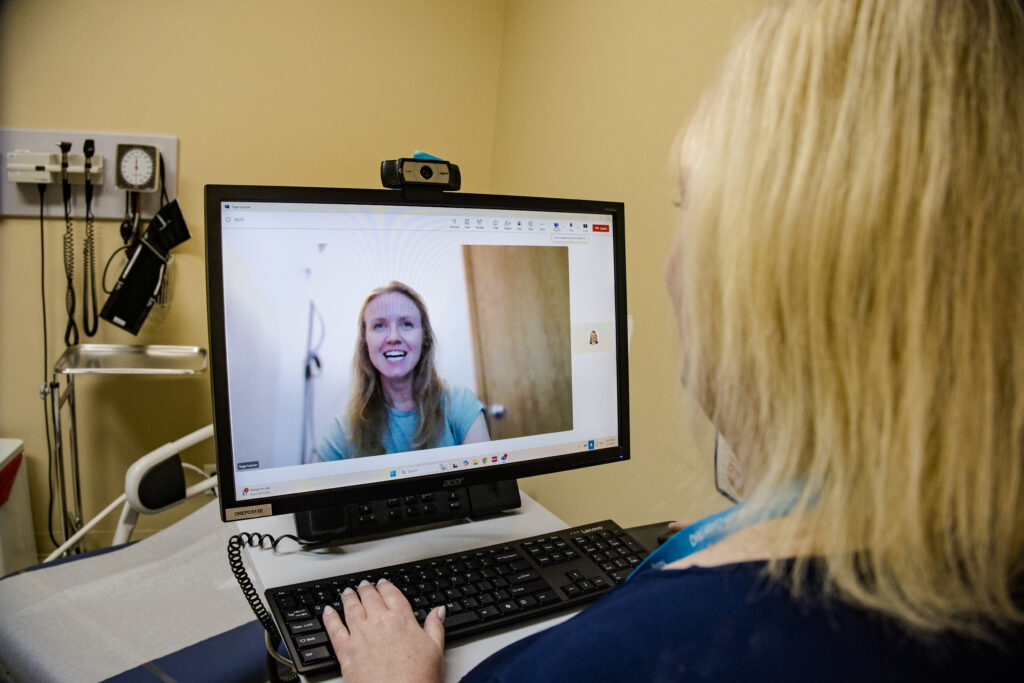
1. Telehealth lets you connect with your provider without coming to the clinic
With telehealth, you can talk with your provider from home or another location using your phone, tablet, or computer.
2. Telehealth can save time
You do not need to travel to the clinic or sit in a waiting room. This can make it easier to fit care into your day.
3. Telehealth visits often cost about the same as in-person visits
Your copay and deductible may be similar to an in-person visit, depending on your insurance. Ask your clinic what you may need to pay and when payment is due.
4. Some patients may be asked for consent before a telehealth visit
For example, patients with Medicare may need to give consent before the visit begins.
5. The clinic may help you prepare for your telehealth visit
If you are unsure how telehealth works, ask if someone from the clinic can help you set up your device or test the connection before your visit.
6. Family members or caregivers may be able to join your visit
If your provider allows it, you can invite a trusted person to join your telehealth appointment.
7. Let your provider know who is with you during the visit
If someone else is in the room, tell your provider so everyone understands who is present.
8. You will need a device with audio and video
Most telehealth visits require a phone, tablet, or computer with a microphone, speakers, and a camera.
9. You will need a way to connect to the internet
Telehealth visits usually require an internet connection or data plan. Some visits may also use email or a secure patient portal.
10. Find a quiet and private place for your visit
Choose a place where you can speak comfortably and focus on your conversation with your provider.
11. Protect your privacy if others are nearby
If you are not in a fully private space, consider using headphones or earbuds.
12. Treat your telehealth visit like an in-person appointment
Try not to multitask. Focus on the visit so you can get the most from your time with your provider.
13. Ask about a backup plan in case technology doesn’t work
If the video connection fails, your provider may call you on the phone to continue the visit.
14. Write down your questions before the visit
Preparing questions ahead of time can help you remember everything you want to discuss.
15. Have your medications with you during the visit
Keeping your medications nearby can help your provider review them and answer questions.
16. Ask questions if something is unclear
Telehealth visits are still medical visits. If you don’t understand something, ask your provider to explain it.
17. Take notes during your visit
Writing down instructions can help you remember important information after the appointment.
18. Ask about next steps before the visit ends
Your provider may recommend tests, medications, referrals, or a follow-up visit.
19. Some health concerns may still require an in-person visit
Your provider may recommend coming to the clinic if a physical exam or test is needed.
20. Telehealth is another way to stay connected to your care team
Virtual visits can make it easier to access care, ask questions, and stay on track with your health.
Need Help Scheduling a Telehealth Visit?
Neighborhood Health Center offers telehealth appointments for many types of care. If you have questions about telehealth or need help scheduling a visit, our team is here to help.
Call (503) 941-3033 to learn more.
